Buy SMS units
Top up your SMS wallet, pay by M-Pesa, card or bank, and set low-balance alerts.
Last reviewed
SMS is prepaid. Your organisation's wallet holds units — one unit sends one SMS part (up to 160 characters) to one number. There are no monthly fees.
Check your balance
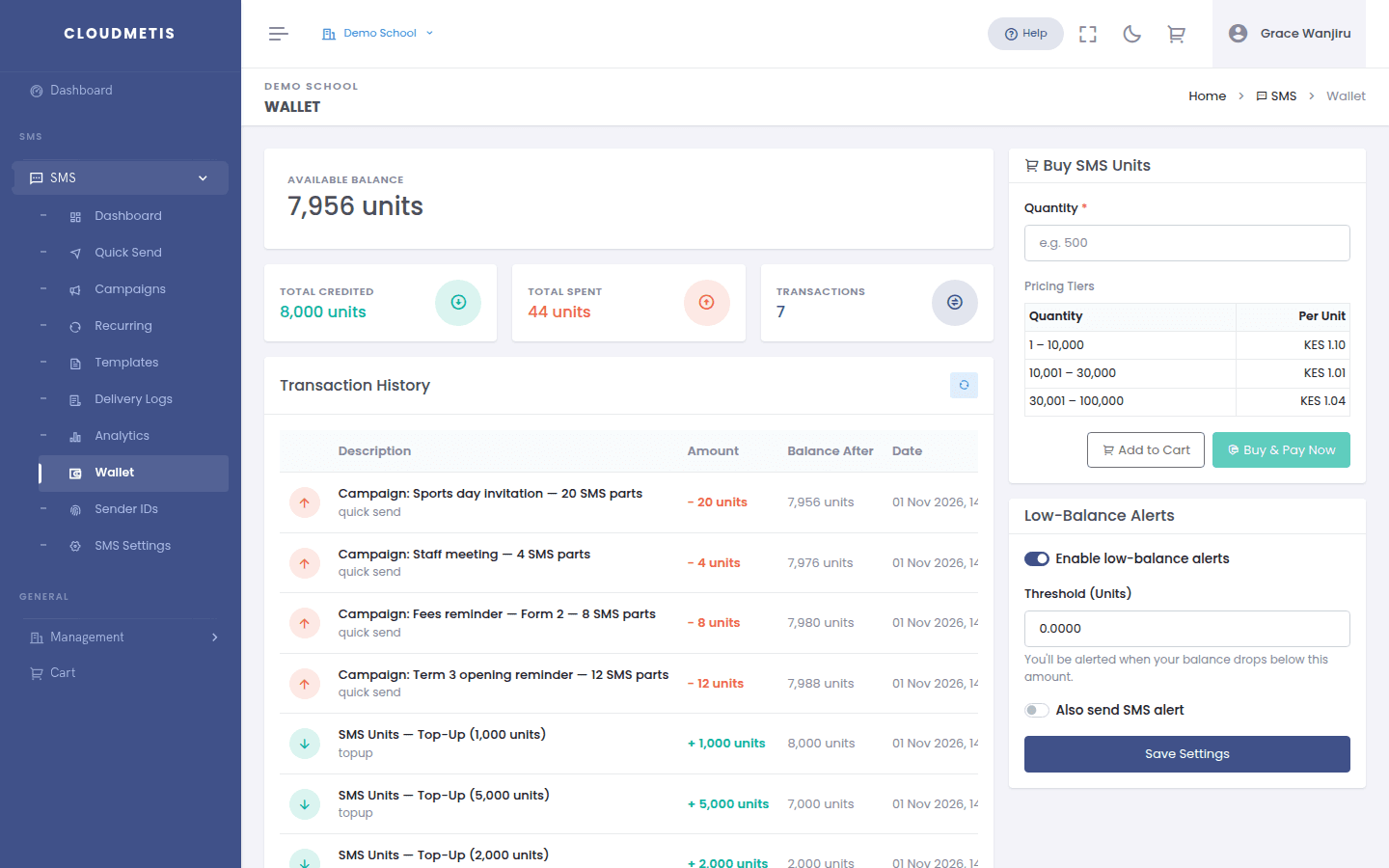
Go to SMS → Wallet. Available Balance shows the units you have left. Below it you'll see everything credited and spent in Transaction History.
Buy units
- In SMS → Wallet, find Buy SMS Units.
- Enter a Quantity. The price per unit and the total update as you type — the more you buy, the lower the price per unit (see the Pricing Tiers table).
- Click Buy & Pay Now to pay straight away, or Add to Cart to pay later with an invoice.
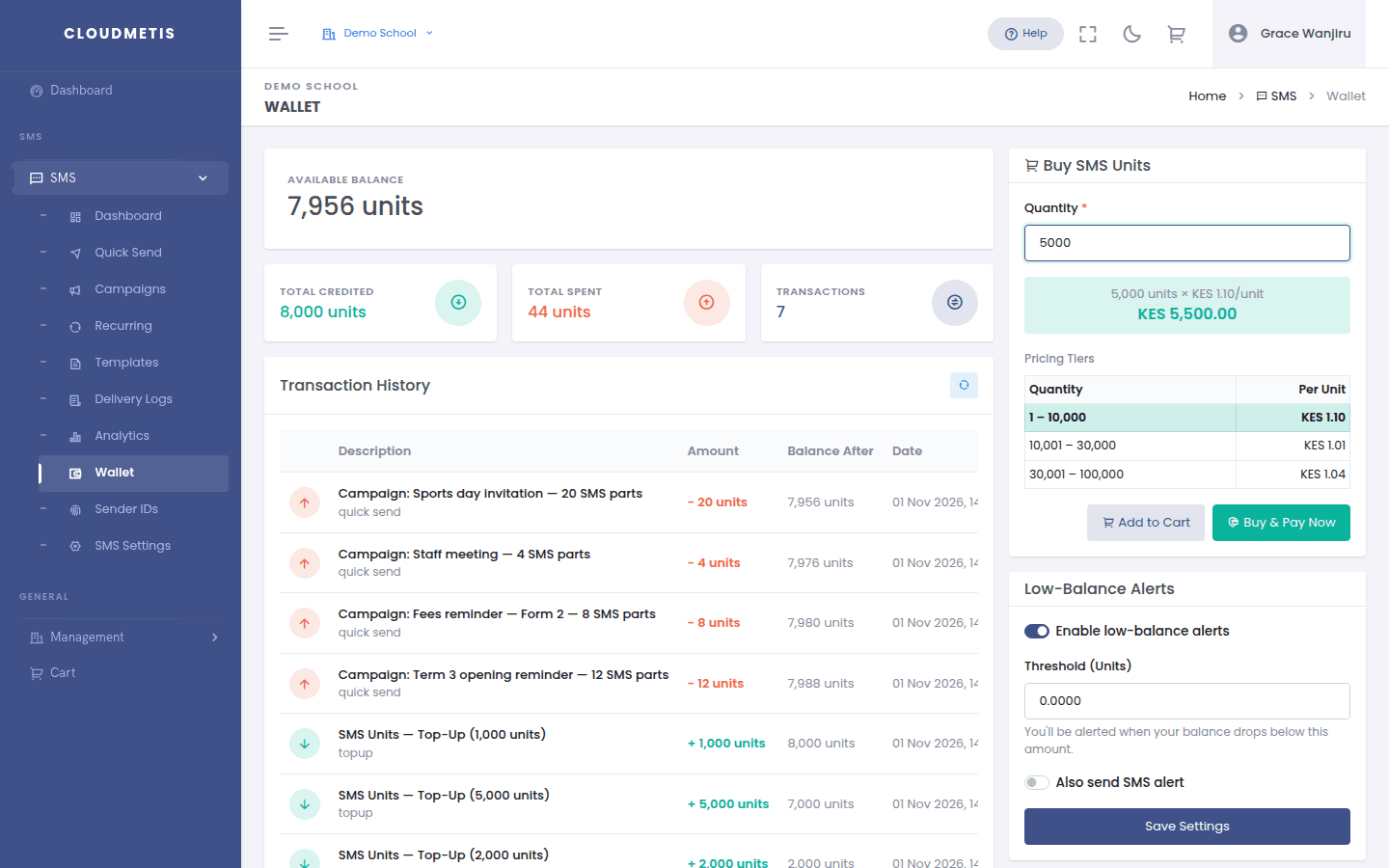
Prices shown are before VAT. VAT is added on the invoice.
Pay now
A secure payment window opens. Pay by M-Pesa, card or bank transfer. When payment is confirmed you'll see "Payment confirmed! SMS units credited." and your balance updates.
Pay by invoice
- Click Add to Cart, open the cart, and click Checkout & Create Invoice.
- Find the invoice in Management → My Invoices and click Pay.
- Choose Card / Mobile Money (M-Pesa) or Bank Transfer (our bank details are shown).
Units are credited once the payment is confirmed.
Low-balance alerts
So you never run out mid-campaign, turn on alerts in SMS → Wallet → Low-Balance Alerts:
- Tick Enable low-balance alerts.
- Set the Threshold (Units) — e.g. 500.
- Optionally tick Also send SMS alert.
- Click Save Settings.
We'll email your organisation's billing contact and admins when the balance drops below the threshold. (Only organisation admins see this setting.)
How many units will I use?
| Message length | Units per recipient |
|---|---|
| Up to 160 characters | 1 |
| 161 – 306 characters | 2 |
| 307 – 459 characters | 3 |
Units are used when a message is sent to the network — even if the phone is off and it later fails. Numbers that have opted out are skipped and never charged. Quick Send shows the exact cost before you send.