Contacts, groups and tags
Add contacts, import them from a spreadsheet, and organise them into groups and tags for sending.
Last reviewed
Keeping your customers as contacts lets you personalise messages ({{first_name}}) and send to whole groups in one click.
Add a contact
- Go to Contacts and click Add Contact.
- Enter at least a First Name and a Phone number. Optionally add last name, email, type (Individual, Business, Organisation), status and an external reference (for example your own customer ID).
- Save.
Contacts need a phone number to receive SMS. When you send to All Contacts, only Active contacts are included.
Import from a spreadsheet
- Go to Contacts → Import.
- Click Download Template, fill it in, and save it as CSV. Up to 500 rows per import. Recognised columns:
first_name,last_name,display_name,email,phone,status,contact_type,external_ref,notes. - Upload the file and click Next: Preview & Map.
- Check each column is matched to the right field (or choose — Skip —) and look over the Data Preview.
- Under Import Options you can set a default status and type, add everyone to a group and assign a tag.
- Click Confirm Import.
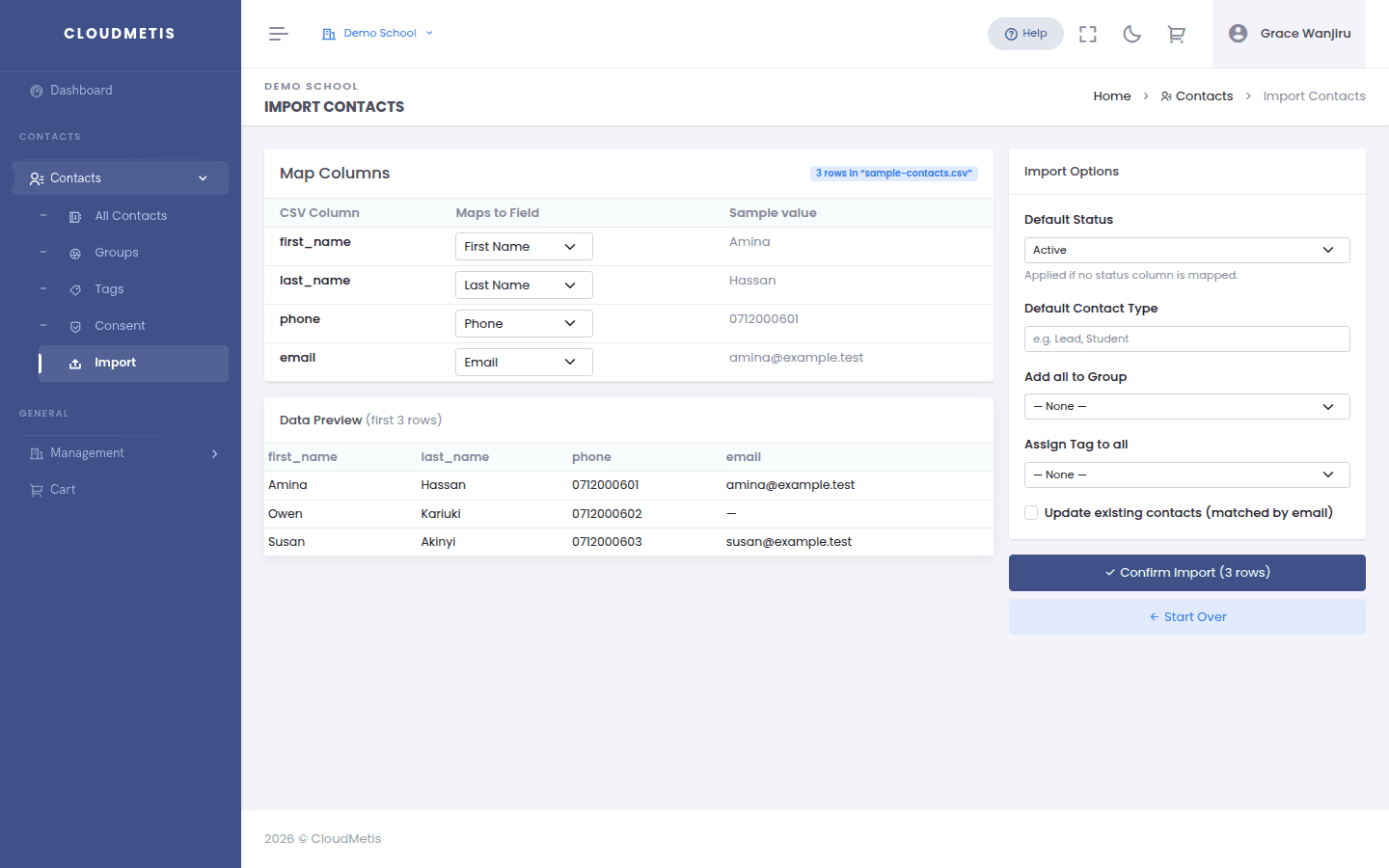
Phone numbers like 0712345678 are converted to the international format automatically.
Groups
Groups are lists you send to — for example Parents – Form 1 or VIP customers.
- Create one in Contacts → Groups → New Group.
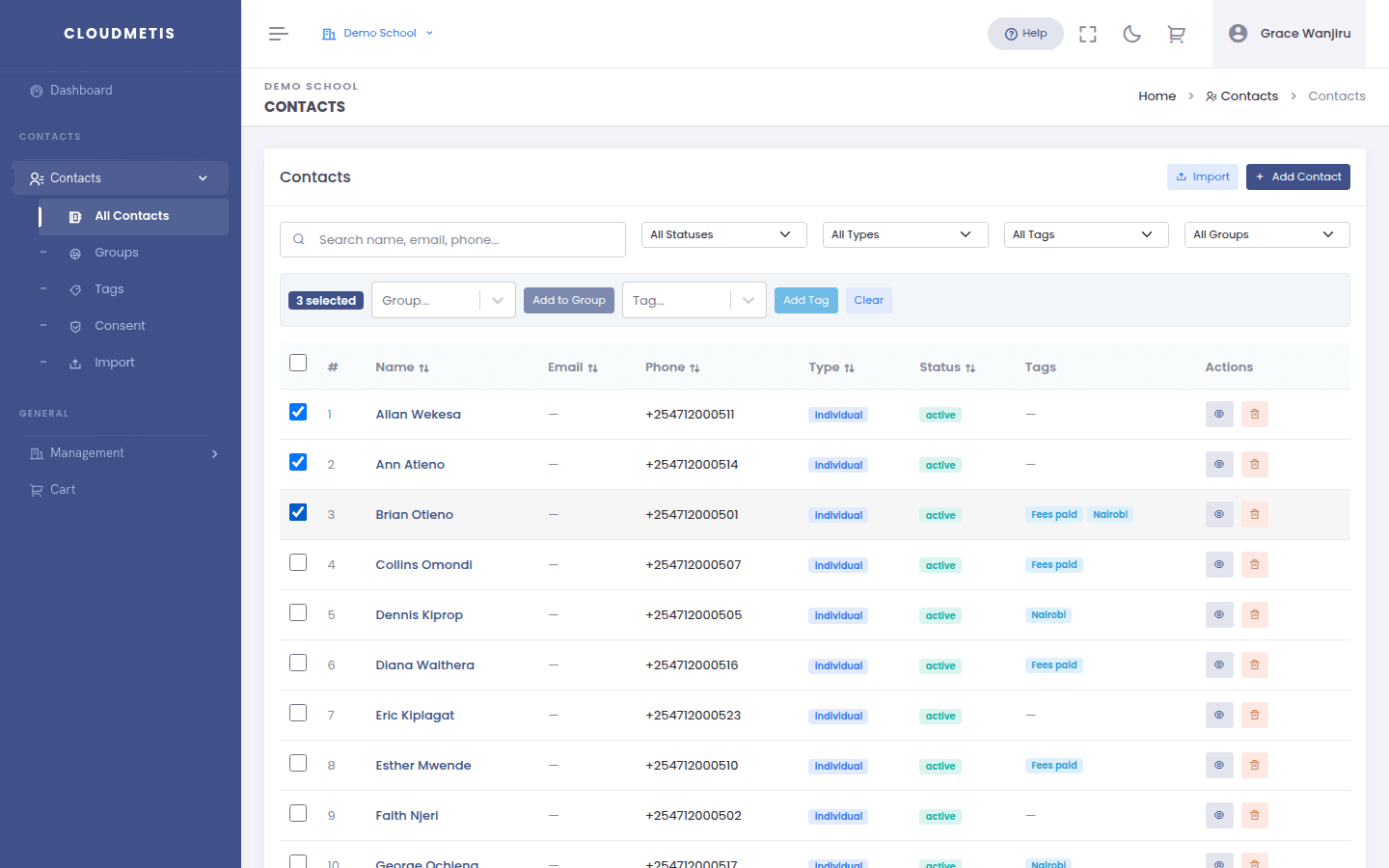
- Add contacts in bulk from the Contacts list: tick contacts (or select all matching a filter) and click Add to Group.
- Then pick the group on the Contact Groups tab in Quick Send.
Groups marked System are kept up to date automatically.
Tags
Tags are labels for filtering — for example nairobi or paid-2026. Create them in Contacts → Tags, add them with Add Tag from the contacts list, and search by tag when choosing recipients.
Consent
Under Contacts → Consent (and on each contact's Consent tab) you can record when someone agreed to marketing SMS and when they withdrew. Keeping this record helps you meet data protection laws such as Kenya's Data Protection Act and the EU's GDPR. To stop messages to a number, add it to the opt-out list.